

Manage and Add from library
Open Setup → Manage for less frequent configuration. It is a directory of destination pages, not one long settings form. Farm Owners and Managers can normally open it; Tenant Admins and Platform Admins have the same farm-configuration view. A support session can see only the configuration reads granted to that case. Daily work remains in the operational menus.
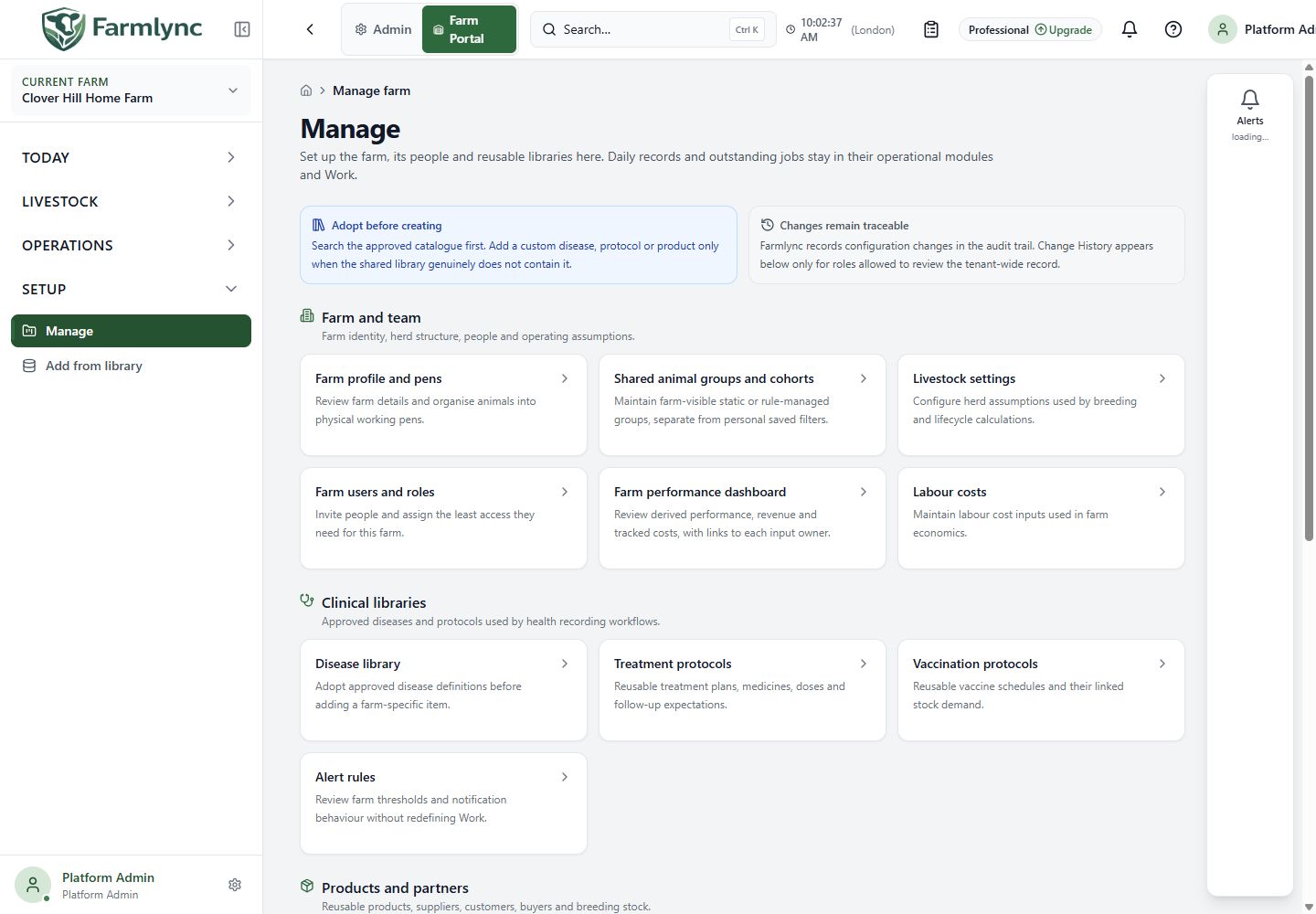
The cards are grouped under Farm and team, Clinical libraries, Products and partners, and Integrations and governance. The card description says what its destination does.
| Group | Destinations and purpose |
|---|---|
| Farm and team | Farm profile and pens controls the farm record and physical housing; Shared animal groups and cohorts controls logical memberships; Livestock settings contains movement and livestock reference values; Farm users and roles controls farm access; Farm performance dashboard configures targets; Labour costs records labour rates used by cost reporting. |
| Clinical libraries | Disease library, Treatment protocols and Vaccination protocols provide reusable health choices; Alert rules controls the farm’s alert thresholds and delivery behaviour. |
| Products and partners | Products controls farm catalogue definitions; Add from library copies approved global definitions; Stock batches, Stock movements and Stock-take history manage physical inventory; Suppliers, customers and contacts manages parties. Dairy farms also receive Semen stock. Feed rations requires the Feed feature. Milk buyers and routes requires a dairy farm plus the relevant milk feature and entitlement. |
| Integrations and governance | Health imports is always listed. Dairy farms receive Breeding imports and beef farms receive Carcass imports. Webhooks, Government registry exchange, Support access, Organisation settings and Change history appear only when the corresponding module, connection, role or support capability permits them. |
A missing card can therefore reflect farm type, subscription entitlement, integration configuration, read-only support scope or your current role. It is not evidence that farm data was deleted.
Before adding a new disease, protocol or product, check the approved library. Configuration changes are traceable; Change history appears only to roles allowed to review the tenant-wide audit trail. Farm setup and catalogue adoption explain the first-farm sequence.
Add from library
Section titled “Add from library”Open Setup → Add from library. This page copies approved definitions into the selected farm so that the farm can configure and use them independently. It does not keep a live link that applies later global-library changes to the farm copy.
The tabs are Diseases, Treatment Protocols, Vaccination Protocols and Products. On Products, All categories and the backend-supplied category buttons narrow the library to categories enabled for this farm and subscription.
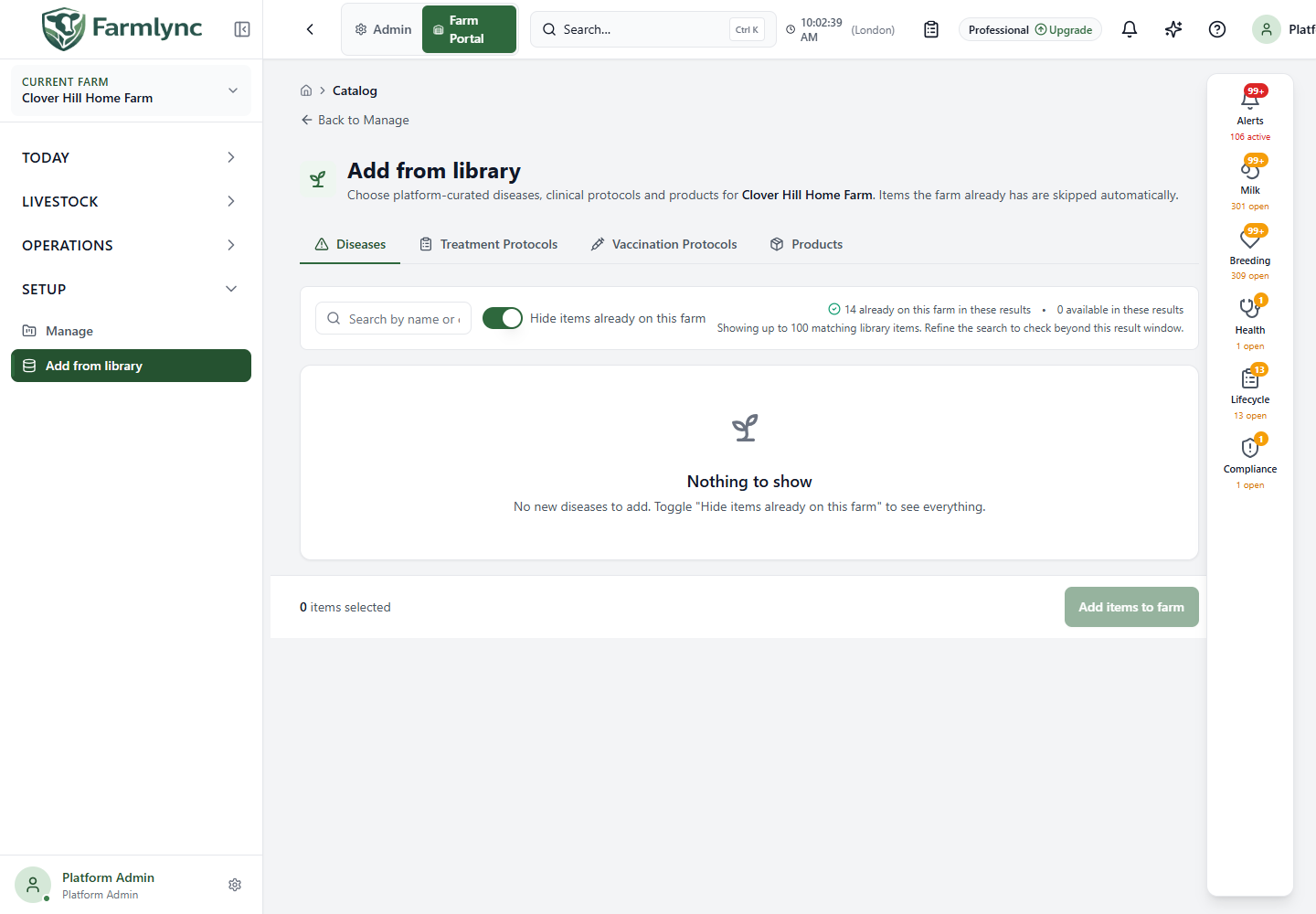
| Control | What to do |
|---|---|
| Search by name or code | Search the current tab after a short typing delay. Results are capped at 100; refine the search to check items beyond that limit rather than assuming the whole library is shown. |
| Hide items already on this farm | Leave on to find new items; turn off to confirm whether a product or protocol was already adopted. Counts refer to the current results, not the whole global library. |
| Item checkbox | Select an available item. Already-on-farm rows cannot be selected again. Check name, code and, where displayed, category, active ingredient or dosage before selecting. |
| Select all visible | Selects only selectable rows currently shown. It does not select unseen results beyond the search limit. |
| Add items to farm | Copies the selected definitions and reports added/skipped counts. The system skips inactive or deleted global definitions, definitions already adopted from the same global item, and conflicting farm definitions. Inspect the relevant farm list afterward. |
What each adoption creates
Section titled “What each adoption creates”| Library type | Farm result | What to check next |
|---|---|---|
| Disease | An active farm disease definition copied from the global code, name, category and description. A farm definition with the same code is skipped. | Open Disease library and confirm that the wording and category fit the farm’s clinical process. |
| Treatment Protocol | A reusable farm protocol copied with its disease, medicine name, dosage, route, duration, withdrawal periods and instructions. A farm protocol with the same name is skipped. | Open Treatment protocols and have the responsible clinical user confirm medicine availability, dosage and withdrawals before use. |
| Vaccination Protocol | An Inactive farm protocol with the global schedule rules. Apply to existing animals is off. The copied rules deliberately have no linked stock product or quantity per animal. | Open Vaccination protocols, link the correct farm vaccine product and quantity to each rule, review animal targets and timing with the farm’s veterinarian, then activate it when approved. |
| Product | An active farm product definition copied from the global identity and regulatory defaults. No batch, delivery or on-hand quantity is created. | Confirm the unit and operational defaults, then receive a real delivery with its supplier, location, batch, expiry and quantity. |
The bulk Products tab currently creates every selected product with Unit as its farm unit and does not ask for a different unit, supplier, storage location or reorder settings. If a product must be tracked in kg, litres, doses or another unit, use the single-product Add product → Choose from library flow instead; it collects those farm-specific values before adoption.
Adopting a definition does not itself record a treatment, vaccination, feeding event or stock movement. If the result says an item was skipped, first turn off Hide items already on this farm and check the destination list for an existing source copy or a same-code/name conflict before creating another definition.