

Milk routes — connect a farm and buyer
What this page helps you do
Section titled “What this page helps you do”The Routes page states which buyer receives this farm’s morning and evening milk. It also carries the formula and negotiated premium used when recording deliveries, so set up the route before the first delivery under that agreement.
Open Livestock → Milk → Routes for the selected farm. Each active card shows the buyer, Primary status, session scope, formula and version, start date, optional premium and member number. Show closed routes reveals past arrangements; closing a route does not erase deliveries already recorded against it.
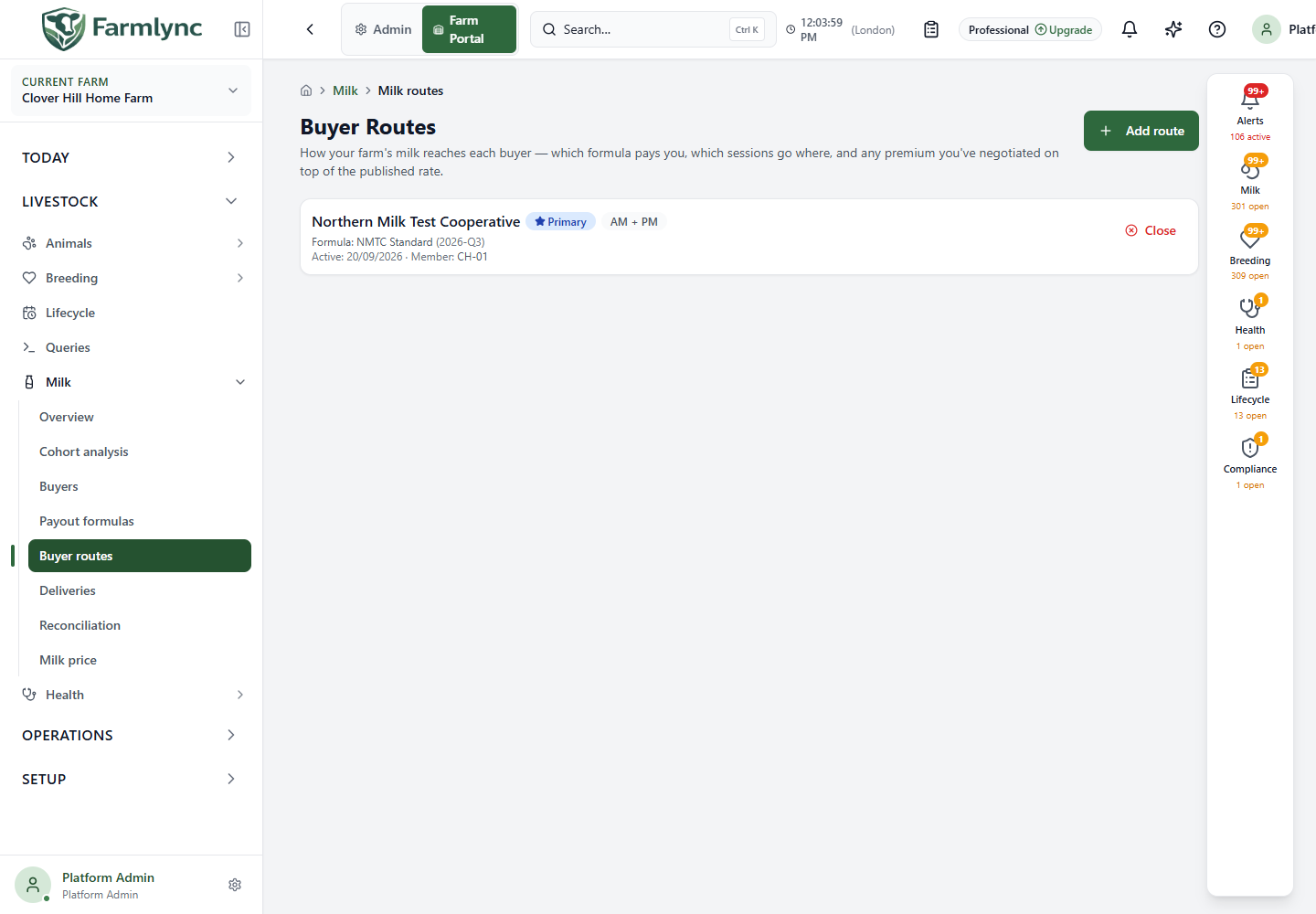
Add a route
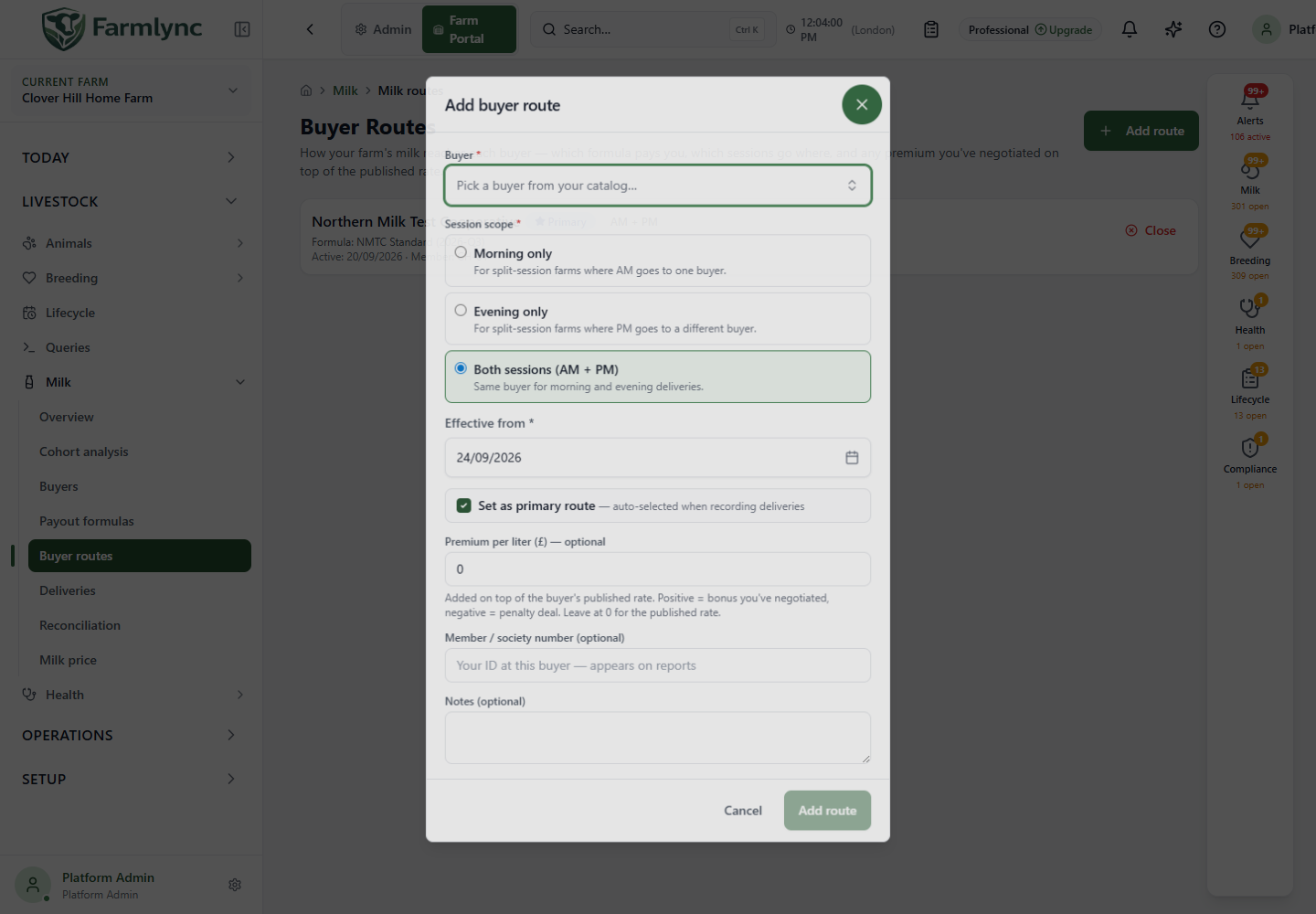
Section titled “Add a route”Choose Add route, then complete these controls.
| Control | What to enter or choose |
|---|---|
| Buyer | Required organisation buyer. If the picker is empty, set up a buyer on Buyers first. A platform catalog template cannot be used directly: adopt it into the organisation. |
| Payout formula | Read-only display of the selected buyer’s default formula. If it says no formula is set, edit that buyer first; Add route remains unavailable. This form has no separate formula override picker. Confirm that the default formula is still active; the current API does not reject a closed formula during route creation. |
| Session scope | Required: Both sessions (AM + PM), Morning only, or Evening only. A Both route cannot coexist with another active route; two active AM routes or two active PM routes are also rejected. Close the old route before replacing an occupied scope. |
| Effective from | Required farm-local date, initially today on this farm. Check the date against the start of the actual buyer agreement. Do not use this as advance scheduling: a future-dated route is currently treated as active immediately for session occupancy and primary-route selection. |
| Set as primary route | Initially on. The primary route is preselected when recording deliveries. Making a new route primary removes the primary flag from the previous one; it does not close that old route. |
| Premium per liter | Optional amount added to the buyer formula’s rate; 0 means no adjustment, a positive amount is a premium and a negative amount is a deduction. The server accepts −100 to 100 in the displayed currency per litre. |
| Member / society number | Optional identifier the buyer assigned to this farm, up to 64 characters accepted by the server. It appears on route reports. |
| Notes | Optional arrangement note, up to 1,000 characters in the form. |
Select Add route and check the new card’s buyer, formula version and session scope. A success message states whether it was configured as primary. Cancel leaves the farm unchanged. If an overlap is rejected, return to the list and check which active route occupies that session; a second click will not bypass the overlap rule.
Close and replace an arrangement
Section titled “Close and replace an arrangement”Choose Close on an active route, read the confirmation and confirm. The app closes it on today’s farm-local date. This makes room for a replacement route; it does not amend historical delivery evidence. If the route changed since the list loaded, the close is refused and the page asks you to review the latest route. Use Show closed routes to inspect the old date range and formula reference.
If a buyer’s terms change, check whether the buyer’s default formula and route must change, close the current route when appropriate, then create the new arrangement. Check the new primary and session scope before recording a delivery. A route is an agreement and destination, not evidence that milk was collected or paid.