

Animal Health stock
What this page helps you do
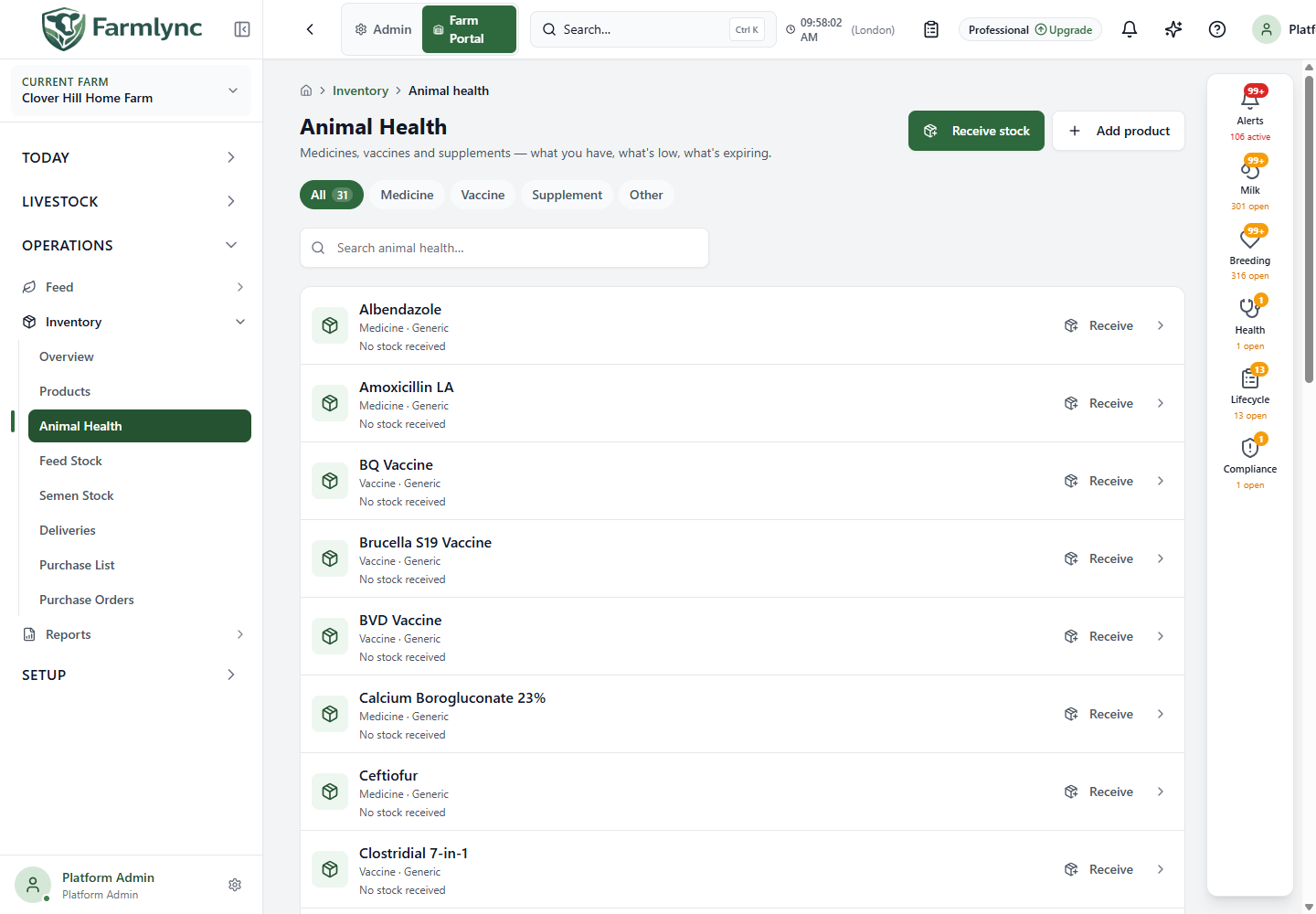
Section titled “What this page helps you do”Operations → Inventory → Animal Health brings the farm’s health products into one stock list. Use it before a treatment or vaccination to identify the intended product and check its recorded availability. The list covers medicines, vaccines and supplements. It shows active catalogue products, including those that have never had a stock receipt; a product definition is not evidence of stock on hand.
Find a product
Section titled “Find a product”| Control | How to use it |
|---|---|
| All and subcategory chips | Show all Health products or narrow to a subcategory such as Medicine or Vaccine. A count on the selected chip reflects that filtered result. |
| Search animal health… | Type the product name or identifying text. Results update after a short pause. Clear the search or switch chips when a product is missing. |
| Low-stock link from another page | Opens this list restricted to tracked products that need replenishment. When rows are shown, choose Show all to remove the restriction. If the low-stock view is empty, open Animal Health again from the Inventory menu to return to the full list. A filtered empty state does not prove the farm has no Health products. |
| Page controls | Move through the result pages or change the page size. The initial page size is 25; a large catalogue is not limited to the first page. |
The row shows the product name, subcategory and manufacturer when available. No stock received means a tracked product has no receipt yet; 0 means stock was received but its recorded balance is now empty. Not stock-tracked means Farmlync does not keep an on-hand balance for that product. The Low badge applies to a tracked product with an established balance of zero or below its reorder level; it is not added merely because a preloaded product has never been received. Open the row or arrow and follow the Product detail guide to inspect its usable and blocked stock, batches, locations, usage, receipts and cost.
Act on a stock item
Section titled “Act on a stock item”Receive stock at the top opens a receipt for this category. A row’s Receive shortcut preselects its product; it appears for tracked products when you have inventory management permission. Enter the actual delivery and batch information in the receipt form. Add product searches the shared library first, then offers farm-only creation for a genuinely missing item. Adding a product does not receive physical stock.
For a low-stock row, Buy adds the product to the Purchase list. If Farmlync cannot calculate a suggested quantity, it asks you for a positive quantity and an explanation. A purchase-list entry does not place an order or increase stock. Receive or purchase actions appear only when your farm permissions allow them.
Use Feed Stock for feed products and Semen Stock for breeding straws. Recording a treatment or vaccination is a separate clinical action; a stock receipt does not record either one.