

Feed rations
What this page helps you do
Section titled “What this page helps you do”Operations → Feed → Rations defines the recipe used by feed plans or feeding events. A ration describes quantities per animal per day for the animals in the assigned pen; some current screen labels say “cow” even on non-dairy farms. Saving a ration does not move stock or prove that feed was delivered. Set up each feed product and its nutrition details before choosing it as an ingredient.
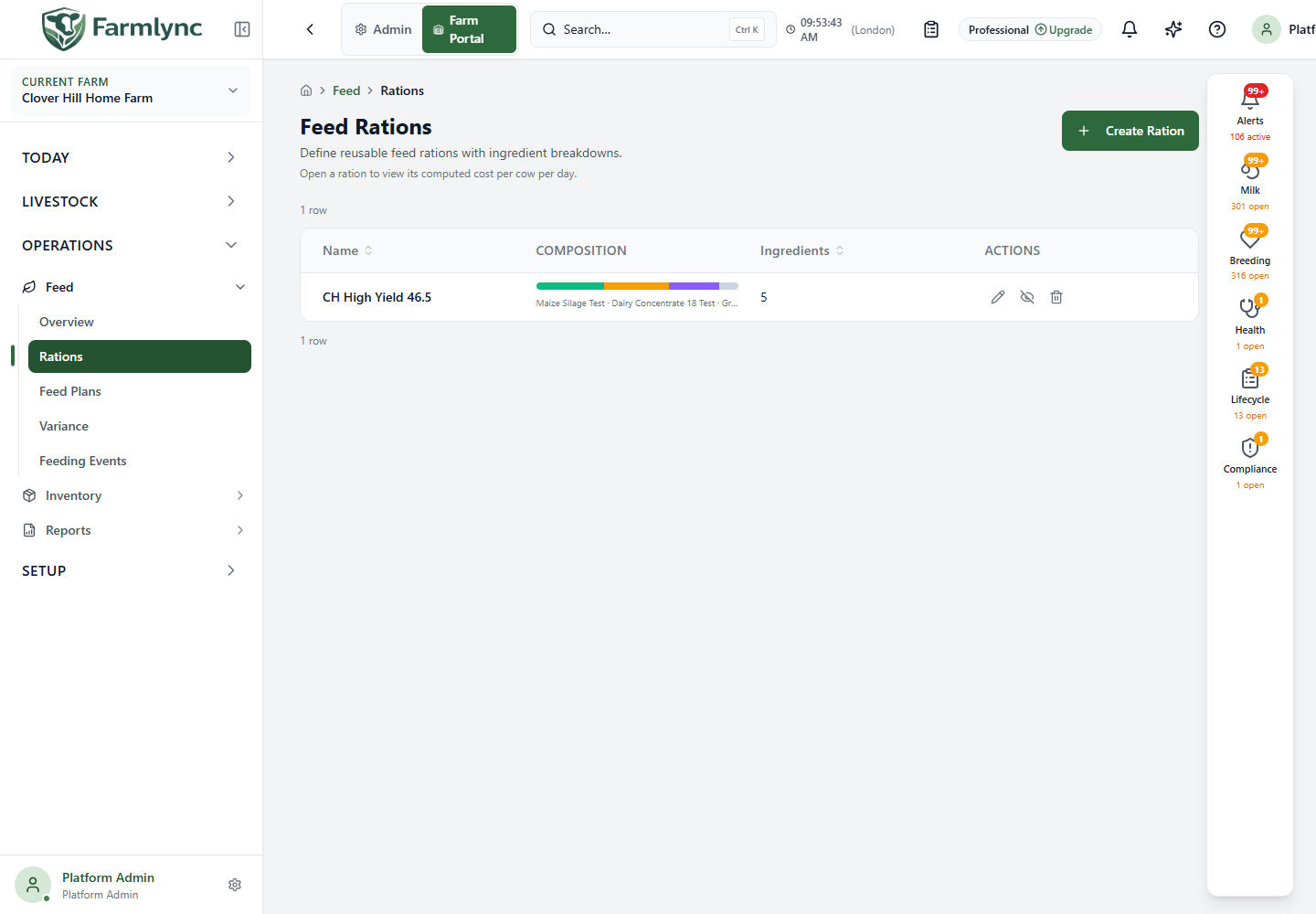
Read the ration list
Section titled “Read the ration list”The list shows 20 rations per page. Name includes the optional description, Composition is a preview bar for the leading ingredients’ share of total dry matter, Ingredients is the count, and Actions offer Edit, Deactivate/Reactivate and Delete. Hover a bar section to see that ingredient’s percentage; an other section represents the remainder beyond the previewed ingredients. The preview is a recipe proportion, not a stock level or amount fed. Use page controls to browse older rows, and retry if the list fails to load.
Create or edit a recipe
Section titled “Create or edit a recipe”Choose Create Ration, or Edit ration on an existing row. The editor asks for:
| Control | What to enter or check |
|---|---|
| Name | Required recipe name, up to 200 characters. It must not exactly match another active ration name on the farm. Use consistent capitalization because the current uniqueness check treats differently capitalized names as different. |
| Description | Optional operating context, up to 1,000 characters. |
| Add / Remove ingredient | Keep at least one ingredient. Add a row for each distinct feed in the mix; remove a row added in error. |
| Feed N | Required feed stock-catalog item. Search by its name or code. Choosing it fills the catalog dry-matter percentage when known. |
| Fresh kg/day | Required non-negative as-fed quantity for one cow per day. The form accepts at most two decimal places, up to 99,999,999.99. Zero is accepted by validation but contributes no feed. |
| DM % | Optional dry-matter percentage, 0–100, at most two decimal places. The catalog value appears when available; change it only when this recipe needs an override. |
| DM kg/day | Calculated from fresh quantity and effective DM %. If DM % is known and above zero, changing this field recalculates Fresh kg/day. |
Each ingredient also shows % of ration DM and its calculated Cost/day. The footer shows Total as-fed, DM, DM % and cost per animal per day (currently labelled Cost per cow per day). An incomplete DM indicator means some ingredient dry-matter values are missing. No price/no pricing or an incomplete cost means do not treat the displayed amount as the full ration cost. Check the feed item and its price in the catalog or stock setup rather than guessing.
Choose Create or Update and wait for the success message. If feed ingredients or nutrition metadata cannot load, the editor blocks saving and offers Retry. If an edited ration changed elsewhere, use Reload latest ration, review the new version and re-enter any intended changes. Cancel closes without saving.
Stop using or delete a ration
Section titled “Stop using or delete a ration”Deactivate hides a ration from new pickers; existing feed plans remain intact. Reactivate makes it selectable again. Neither action changes feeding already recorded. Delete opens a confirmation saying the action cannot be undone. Review whether the recipe is merely retired before deleting it. A version conflict requires reloading the list and reviewing the latest ration before retrying.
To assign a saved ration to a pen over dates, continue to Feed plans. To record actual quantities offered and refused, use Feeding events.