

Payout formulas — rates and versions
What this page helps you do
Section titled “What this page helps you do”Payout formulas define how a buyer’s measured milk quality and quantity become an estimated payment. Use this page when a buyer provides a new rate schedule; keep each schedule as a dated version so past deliveries can still be explained from their original terms.
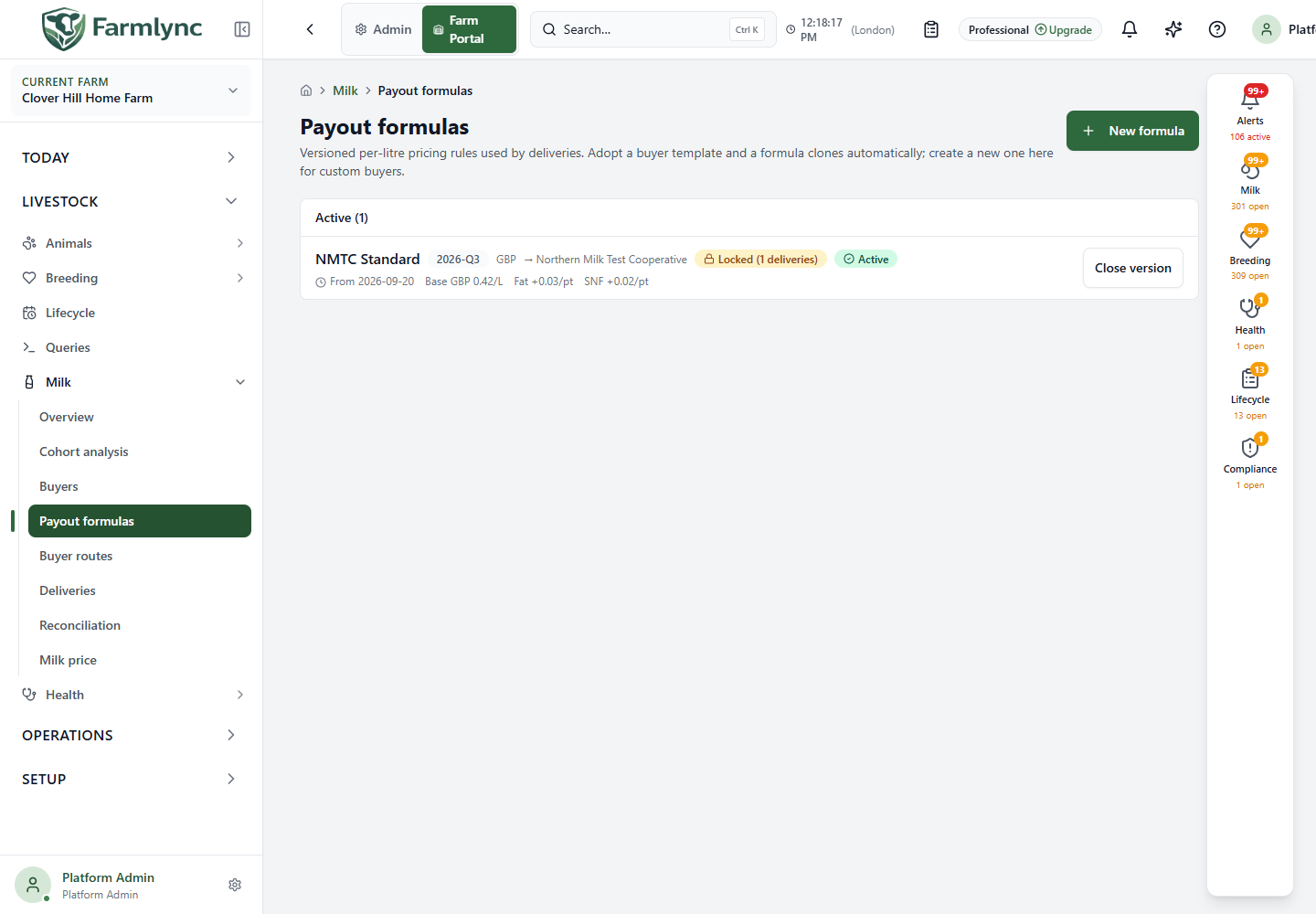
Open Livestock → Milk → Payout formulas. The active list shows each formula’s name, version label, currency, buyer, start date and main rates. In the current page, Active means that no closing date has been set; check the From date as well before using a future-dated formula. Locked means at least one delivery references that version. Closed versions hold earlier rules for delivery history. Adopting a buyer from the shared catalog can copy a starter formula; a custom buyer may need a new one.
Create a formula
Section titled “Create a formula”Select New formula. Confirm the buyer’s written rate schedule and effective date before entering coefficients. Only a tenant or platform administrator can save a formula.
| Control | Meaning and accepted value |
|---|---|
| Name | Required formula name, up to 150 characters. Reuse this name for later versions of the same schedule. |
| Version label | Required distinguishing label, up to 40 characters, such as a rate period. The same name and version pair cannot be created twice in one organisation. |
| Buyer | Optional link to an organisation-owned buyer; Standalone leaves it unlinked. If that buyer has no default formula yet, creating this formula sets it as the default. If it already has one, change the default explicitly on Buyers. |
| Effective from | Required date, initially today in the selected farm’s timezone. Use the start date in the buyer’s schedule. |
| Currency | Required three-letter ISO 4217 currency code, initially the organisation’s currency. Enter the real code from the buyer agreement, such as GBP, EUR or INR; the current form checks the length but does not verify that the code exists. |
| Rate basis | Required per litre or per kilogram. Milk delivered in litres is converted using the farm’s milk density for a kilogram-based formula; the route premium remains per litre. |
| Base rate / unit | Required positive amount, up to 10,000 in the chosen currency. This is the rate at the reference quality before premiums or deductions. |
| Reference fat % | Required numeric value, 0–15% accepted by the server; initially 3.5. |
| Reference SNF % | Required numeric value, 0–20% accepted; initially 8.5. SNF means solids-not-fat. |
| Fat premium / point | Required amount from 0–100. The difference between measured and reference fat, in percentage points, is multiplied by this coefficient. Below-reference fat therefore reduces the rate. |
| SNF premium / point | Required amount from 0–100, applied to measured SNF minus reference SNF in the same way. |
Expand Optional: protein, CLR penalty, loss skim only when those terms occur in the buyer’s schedule. Enter both controls in a pair: reference protein with its protein premium, and CLR minimum with its below-threshold penalty. A half-completed pair is not a meaningful pricing rule even though the current form may allow it to be saved.
| Optional control | Meaning and accepted value |
|---|---|
| Reference protein % and Protein premium / point | Protein reference 0–10% and premium 0–100. When the premium is nonzero, a delivery needs a protein reading for payout calculation. |
| CLR minimum (lactometer) and CLR penalty / litre below | Threshold 0–50 and penalty 0–1,000. A measured CLR below the threshold triggers the penalty per formula-basis unit; a nonzero penalty requires a CLR reading on the delivery. |
| Loss skim (%) | Percentage deduction 0–25%. Enter 1.5 for 1.5%, not 0.015; the form converts the displayed percentage to the fraction stored and calculated. |
| Notes | Optional source of rates or agreement caveat, up to 2,000 characters accepted by the server. |
Select Create formula and confirm the success message and new list row. Some server limits are checked only after submission, so a numeric or length error can leave the form open even when the browser accepted the value. Check both the highlighted error and the buyer’s schedule rather than adjusting a coefficient merely to make it save. Creating a formula does not automatically close another version, change a buyer’s existing default, or change the formula on an existing farm route.
Understand the calculation
Section titled “Understand the calculation”For a structured formula, the calculation starts with the base rate. It adds each measured quality difference from its reference multiplied by that component’s premium. It multiplies this rate by the delivery quantity in the formula’s litre or kilogram basis. Any farm-route premium is added per litre. A CLR penalty applies if the recorded CLR is below the configured minimum. The loss-skim percentage is then deducted from the amount after that penalty.
For example, a 2% loss skim reduces the pre-loss amount by 2%; it must not reduce it by twice the whole amount. The delivery’s payout preview and saved breakdown are the places to inspect the calculation for an actual load. A nonzero fat, SNF or protein coefficient requires the corresponding measured value; an applicable CLR penalty requires CLR. If that receipt value is missing, complete the delivery evidence before relying on the payout.
Edit, close and replace a version
Section titled “Edit, close and replace a version”Select a formula row to inspect its coefficients. An unlocked formula permits changes to the numeric rates, thresholds and notes; its name, version, buyer link, currency and start date are not editable in this panel. A formula referenced by a delivery is locked and opens read-only. To change rates after deliveries exist, choose Close version, confirm, then create a new version with a new label and the correct effective date. The close uses today’s farm-local date; earlier delivery records keep their old formula reference. Do not create the replacement before closing the current version, and do not close a future-dated version from this page: the current close action always uses today and the server rejects a date before the formula’s start.
The current edit action updates values you enter but does not clear an optional coefficient merely because its box is left blank. If the buyer has removed a term from the schedule, use a new version with that optional term omitted and check the buyer/route setup before recording another delivery.
Check the buyer’s Default payout formula and the farm’s Routes before recording under new terms. The route form uses the buyer default when a new route is created; editing a buyer default does not silently rewrite old deliveries. The separate Milk price is a flat farm valuation, not a substitute for a buyer payout formula.