

Products catalogue
What this page helps you do
Section titled “What this page helps you do”Operations → Inventory → Products is the farm’s complete product registry across Health, Feed and Farm supplies. Use it to confirm that one correct catalogue definition exists before receiving stock, recording use or creating a duplicate. A product row defines identity and defaults; it does not prove that physical stock exists.
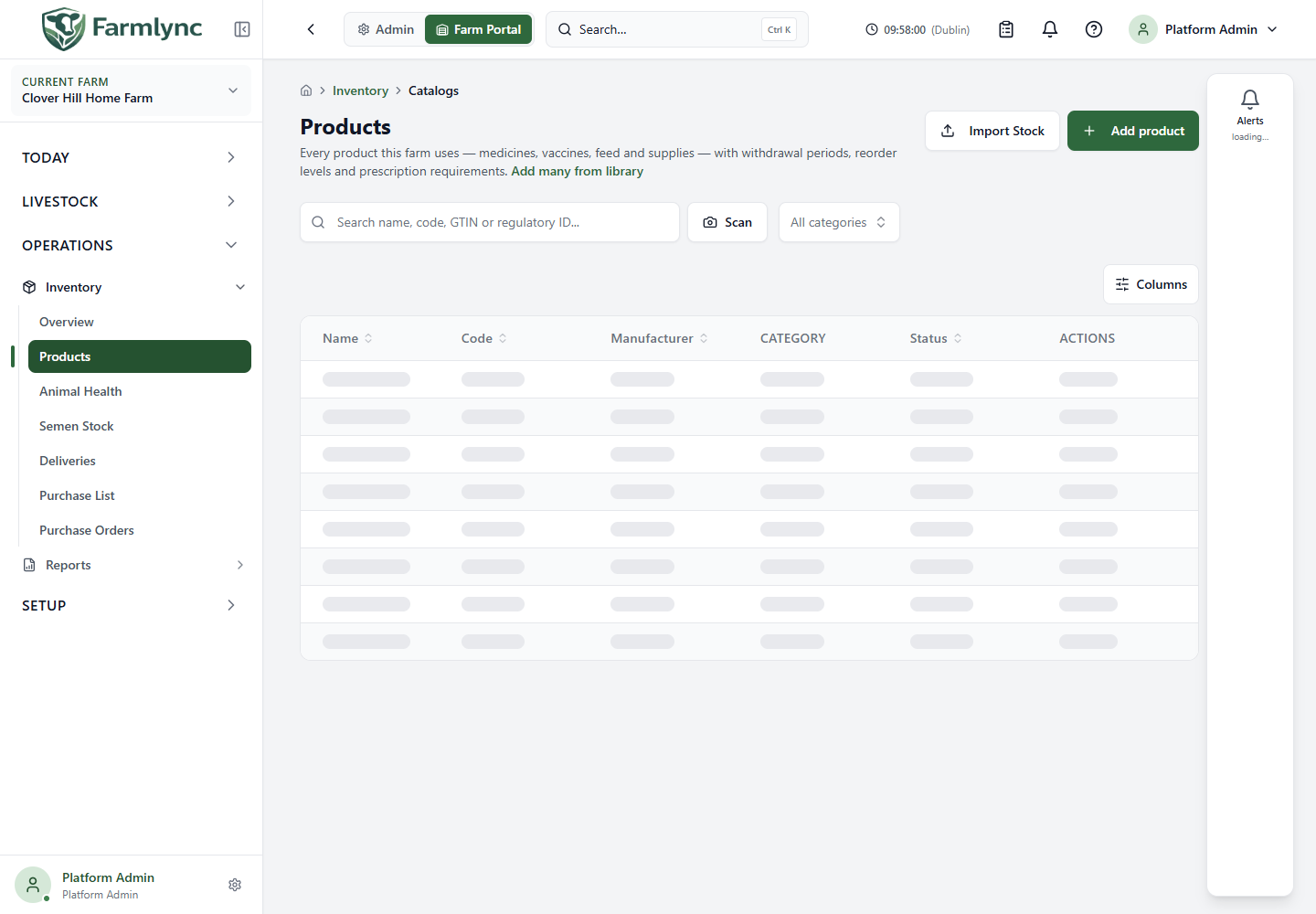
Find the right product
Section titled “Find the right product”| Control | How it behaves |
|---|---|
| Search name, code, GTIN or regulatory ID… | Searches name, code, manufacturer, active ingredient, GTIN, regulatory identifier and tags after a 300 ms pause, then returns to page one. The search is retained in the page URL, so a copied filtered link can reopen the same view. |
| Scan | Opens the product-barcode scanner. A detected barcode fills the search field; scanning does not receive stock or change the product. |
| All categories | Shows all farm products or narrows to Health, Feed or Farm supplies. |
| All Sub-Categories | Appears after choosing a category and narrows to one valid subcategory. Changing category clears an incompatible subcategory. |
| Clear filters | Removes search, category, subcategory and page parameters. Use it before concluding that a product is absent. |
| Page controls | The server returns 20 products per page. Desktop paging is in the table; mobile shows previous/next controls and the displayed range. |
The registry includes Active and Archived products. There is no separate status filter on this page. A filtered empty state offers Clear Filters; an unfiltered empty state offers Add product when your permission allows it.
Read the desktop table or mobile card
Section titled “Read the desktop table or mobile card”Every view shows product Name, Code and status. The unfiltered desktop table also shows Manufacturer and Category. Narrowing to a particular type adds relevant evidence:
- Medicine and Supplement filters show Sub-Category, Ingredient and prescription status. Medicine additionally shows default milk and meat withdrawal days.
- Vaccine shows Sub-Category, default Dosage, Route and prescription status.
- Health Other, Feed and Supplies show their Sub-Category.
On desktop, the table’s column control can hide optional columns and remembers the preference for this farm. Name and Actions remain available. Mobile cards show category/subcategory badges and, when applicable, ingredient, medicine withdrawal, dose, route, prescription and tags. A dash means that field has no saved value; it is not a measured zero.
Add a product
Section titled “Add a product”Choose Add product to begin with platform-library search and duplicate checks. Adopt a governed library entry when it is the same product; create a Farm-only product only when genuinely absent. Add many from library opens the farm catalogue adoption page for staged setup. The full identity, clinical, Feed and save controls are explained in Add and edit farm products.
Adding, importing, editing, archiving and restoring products requires Manage inventory, normally held by a farm Owner or Manager. Product viewing is available with View inventory. The service remains authoritative even if a shortcut is visible in a portal session that cannot complete the action.
Saving a product normally opens its product detail. Add & receive first delivery continues into a separate stock receipt for tracked products. Until that receipt is saved, the new product has no physical batch or on-hand balance.
Import stock batches
Section titled “Import stock batches”Import Stock opens a CSV batch-receipt workflow; it does not create product definitions. Download and follow the schema/template shown in the importer. Every referenced product must already exist on this farm. When Import is opened from a category-filtered page, only products in that category are accepted.
One request accepts up to 500 rows. The template fields are:
| Field | Requirement |
|---|---|
| Catalog code | Required. Match the existing farm product code; matching ignores letter case. |
| Batch number | Required by the current CSV form for every row. Use the supplier’s batch identifier. |
| Received date | Required yyyy-mm-dd farm-local date. |
| Quantity | Required positive base-unit quantity. |
| Expiry date | Optional generally, but required by the service for traceable clinical products. |
| Unit cost | Optional cost per base unit. |
| Lot number | Optional supplier lot identifier. |
| Supplier | Optional free-text supplier name. |
| Supplier reference | Optional invoice, docket or purchase-order reference. |
| Storage location | Optional exact configured active location name; blank uses the default location. |
Review the parsed rows and import result. A partial result states how many batches succeeded and gives row-level failure reasons. Correct and retry failed rows without duplicating successful receipts. Use this only for actual opening or delivered stock, with the same care for batch, expiry, quantity and cost as an individual receipt.
Edit, archive or restore
Section titled “Edit, archive or restore”Edit opens the current product values. The product setup guide explains every editable field and how changing category or unit affects later work. Once a product has receipt or source-effect history, its Code, top-level Category and base Unit of measure are locked because changing them would reinterpret history; create a replacement product instead. If another user changed the row first, Farmlync refreshes the list and asks you to reopen the latest version before retrying.
The current editor does not expose a product Description. Saving any edit currently clears a description inherited from the platform library, so preserve required descriptive evidence outside this edit path until that recorded product-editor gap is corrected.
Archive asks for confirmation and displays the current recorded on-hand quantity. Archiving hides the product from new receipts and clinical selections, but preserves batches, stock movements and historical records. Remaining physical stock must still be used, disposed or otherwise managed correctly. Restore makes the definition active for new selections again. These management actions are shown only when your farm permission allows them.
Use Inventory → Animal Health, Feed Stock or Farm Supplies for an attention-first view with on-hand quantity and receipt/purchase shortcuts. The Product detail guide explains its usable and blocked stock, batches, location moves, disposal, nutrition or withdrawal evidence, purchasing defaults, usage, receipts and cost.