

Health checks
What this page helps you do
Section titled “What this page helps you do”Health → Health checks stores dated observations and assessments for animals in the selected farm. A check records what someone observed or measured; it does not give medicine, make a veterinary diagnosis, or clear a withdrawal restriction. Use Record Treatment when a medicine or treatment was actually administered.
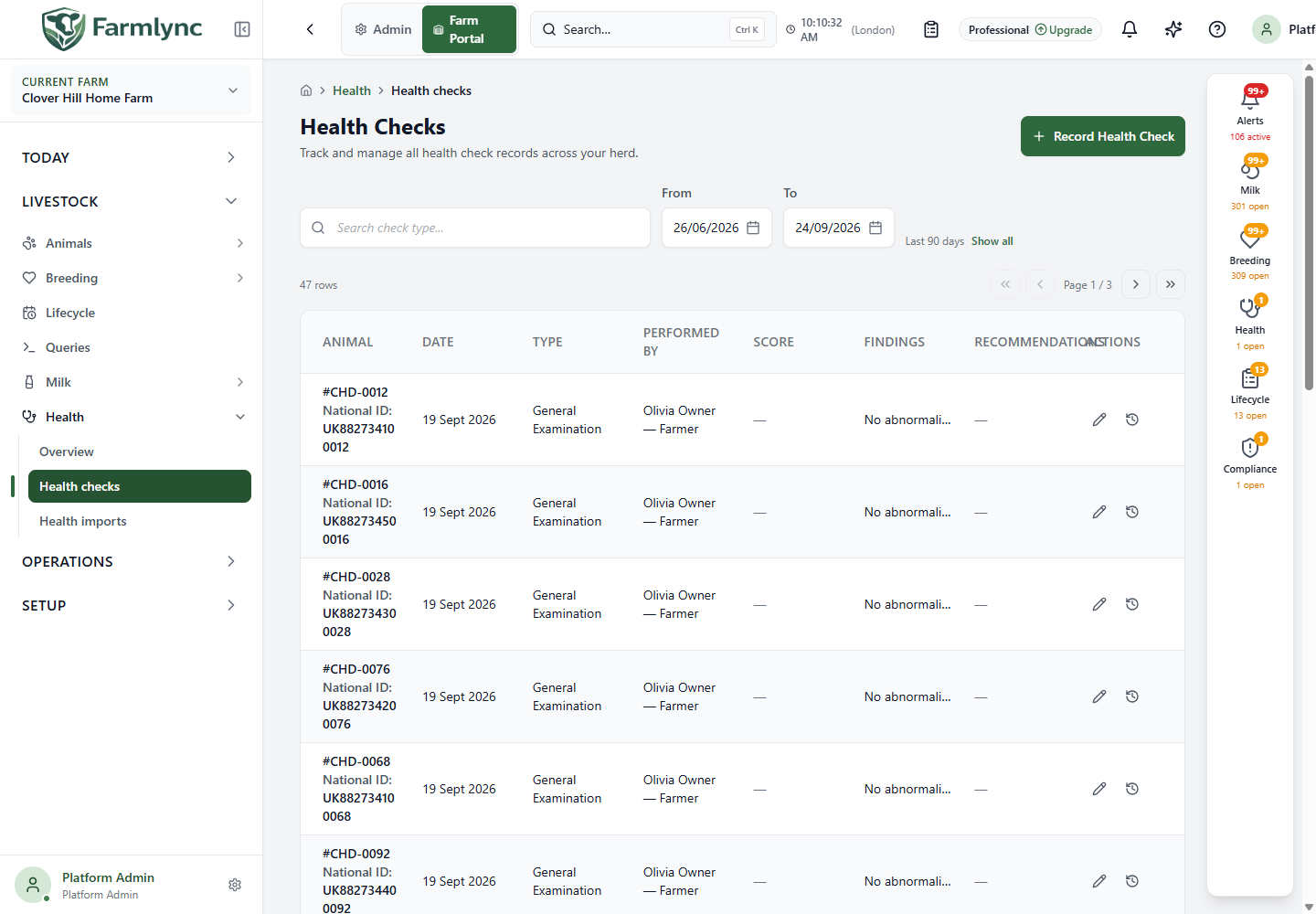
Find a saved check
Section titled “Find a saved check”The list starts with the farm’s last 90 days, 20 rows per page. Search health checks searches the check type after a short pause; it is not an animal-name search. From and To set the date window. Show all removes the default window, while Clear filters restores it. If an expected check is missing, check the date window and page before recording another. Use Retry if the list could not load.
The table shows Animal (link to the animal), Date, Type, Performed by, Score and its scale, Findings, Recommendations and actions. A dash means no optional value was saved. Long findings and recommendations are shortened in the table. On mobile, open a card for its Correct and History actions.
Record one health check
Section titled “Record one health check”Choose Record Health Check. When opened for an animal or from work, the animal or some check details may be prefilled. Confirm them against the assessment actually performed.
| Control | What to enter |
|---|---|
| Animal | Required animal examined. A preselected animal may be locked. |
| Check Date | Required farm-local date of the examination; starts at today. |
| Check Type | Required type from the farm’s offered list. Supported types include Body Condition Score, Lameness Score, General Examination, Hoof, Udder Health, Respiratory, Digestive, Reproductive, TB Test, Johne’s, Hip Height, Swelling and Cleanliness. Pick the assessment actually done. |
| Test Result | Required only for TB Test and Johne’s. The offered results are Clear, Reactor, Positive, Negative and Inconclusive. Enter the recorded test result, not an inferred result from a score. The field disappears for other check types. |
| Score | Required for Body Condition Score; otherwise optional. The form accepts a number from 0 to 999, including tenths. Use the scale appropriate to the selected assessment. |
| Score Scale | Optional description of the measurement scale or unit, up to 50 characters; for example 1-5 or cm. |
| Findings, Recommendations | Optional observed facts and suggested next steps, each up to 2,000 characters. Review any dictated text before saving. |
| Performed by | Optional role and person. Roles are Farmer, Staff, Veterinarian and Other person; selecting a role requires a person name. The picker can link an eligible farm user or saved Vet party. |
| Notes | Optional context, up to 1,000 characters. |
Choose Save Health Check and wait for the success message. An error displayed in the form means it was not confirmed as saved. Cancel closes without recording. Reopen the list or the animal’s health history and verify the animal, date, type and result.
Record the same assessment for several animals
Section titled “Record the same assessment for several animals”Use the Health check batch action from a selected animal group or compatible work in execution mode. The Health checks list itself has a single-record button; it does not launch this batch form. The batch can contain 1–500 distinct animals. Review the selected tags, use Add Animal to include another, and remove any animal not actually checked. A selection above the limit is truncated with an omitted-animal notice; those omitted animals are not recorded by this submission.
Enter the shared Check Date and Check Type. TB Test and Johne’s require Test Result. Body Condition Score requires a Score; other types may have an optional score and Score Scale. For some check types the form offers score, findings and recommendation chips. Chip recommendations can be suggested from selected findings; review each before saving. Select chips before typing additional findings or recommendations: changing a chip selection can replace text already typed in those fields. You may enter Performed by, optional Follow-up Date and Notes. The text and performer limits match the single form; the follow-up date belongs to the batch request.
One batch applies the same score, result, findings, recommendations, performer, notes and follow-up date to every selected animal. The pre-submit summary warns if an abnormal score or finding will be applied to the whole group. If animals have different assessments, separate them into batches or record them individually. Do not choose a normal finding merely to hide a warning.
Choose Record N Checks and wait for the result screen. It reports successes, failures and any clinical warning. Retry failed returns only the failed animals to the form when that action is available; review the values before retrying. Successfully recorded animals are already complete and must not be submitted again. Finish the result screen, then inspect the saved checks.
Correct a check and inspect its history
Section titled “Correct a check and inspect its history”Use Correct health check on a row, or Correct on an expanded mobile card. The Animal and Check Type cannot be changed in this form. Enter a Reason for correction of 5–500 characters. You may amend the Check date, Score, Score scale, available Test result, Findings, Recommendations, Performed by and Notes, then choose Save Correction. Keep Notes within 1,000 characters; that is the server limit for a saved correction.
The correction uses the version you opened. If another user changed it, reload and review the current check before retrying. Correction history / History shows earlier values and the correction reason. If the wrong animal or check type was chosen, the correction form cannot substitute another one; verify the situation before recording a new assessment.