

Breeding imports — map and import event history
What this page helps you do
Section titled “What this page helps you do”Livestock → Breeding → Breeding imports accepts one CSV containing Heat, Service, PD (pregnancy diagnosis), Calving, and, on dairy farms, DryOff rows. Each row represents one event for one animal. This is a recording action, not a dry run: selecting Import can write breeding records, register calves, update lifecycle and milk state, and affect semen stock. Use the single-recording forms when correcting only one event. Importing requires permission to record breeding events; the handler message identifies Owners, Managers and Vets.
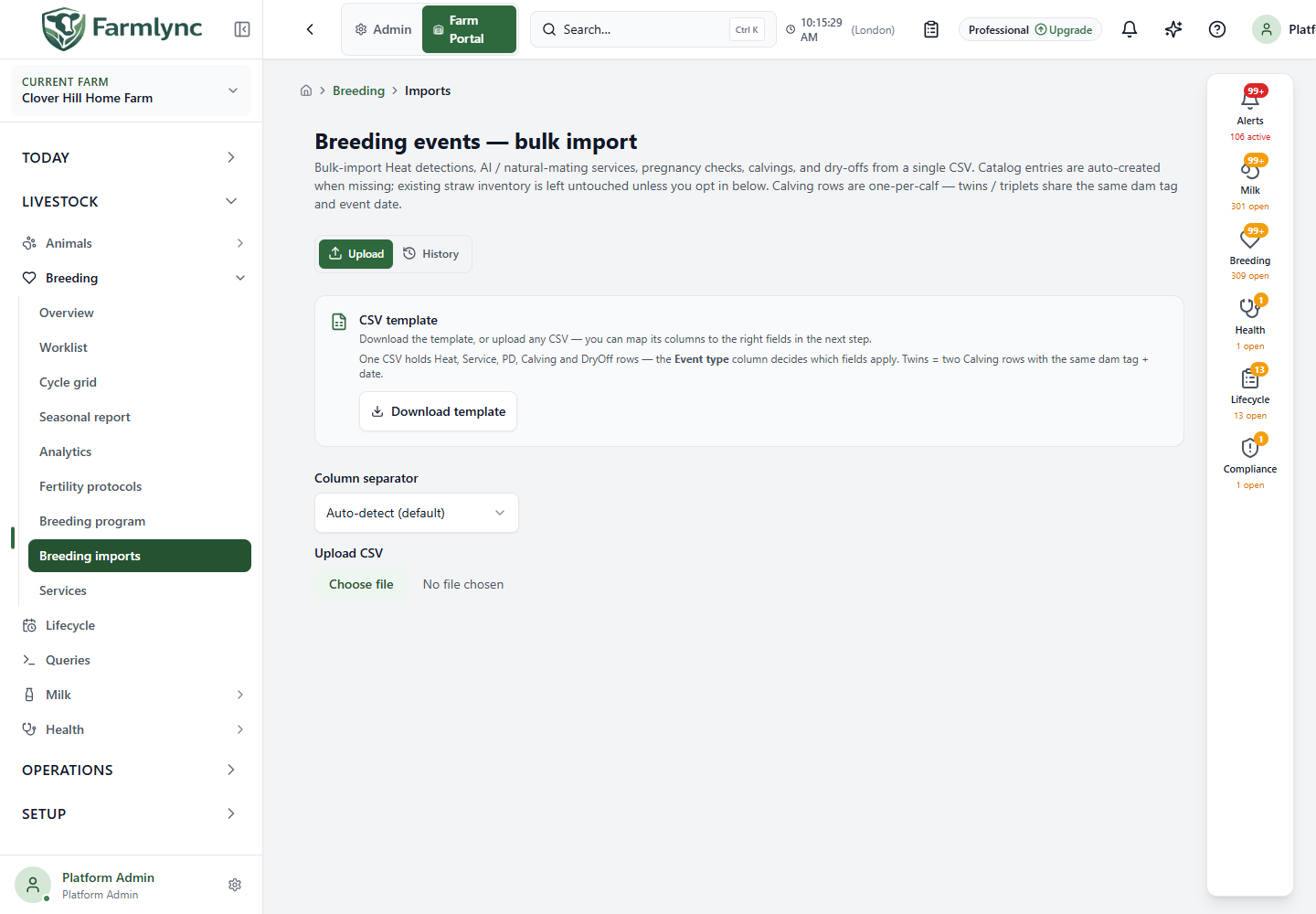
The page has Upload and History tabs. Upload uses a CSV template and a column-mapping preview. History lets you inspect the result of an earlier attempt. The service accepts 1–5,000 data rows per import; split a larger file. The browser may show the upload controls before the schema arrives. If schema loading fails, select Try again; no file has been submitted at that point.
Prepare the CSV
Section titled “Prepare the CSV”Choose Download template for the current column names. You can also upload a vendor export and map its headings on the next step. Keep the first row as headers and use one row per event. Use yyyy-MM-dd farm-local Event date values in new files. Keep a copy of the original file for reconciliation. The current upload screen requires an Event type column and validates its values. Fill each row explicitly; a fallback in the row builder is not a reason to leave event types blank.
Three columns are common to all event types:
| Column | Accepted content and effect |
|---|---|
Event type (eventType) |
Heat, Service, PD, Calving, or DryOff. The mapper also recognises headings event type, event_type and type. A file can mix types. |
Animal tag (animalTag) |
The existing animal’s tag on this farm. Aliases include tag, tag number and ear tag. For a calving, this is the dam’s tag, not the calf’s. |
Event date (eventDate) |
The event’s farm-local date. Aliases include date and service date. Review chronology, especially when importing a service and its PD in one file. |
Map only the columns applicable to each row type. Leave other type-specific fields blank, rather than placing a value from a different event in them.
Heat columns
Section titled “Heat columns”| Column | Accepted content |
|---|---|
| Heat intensity | Strong, Moderate, or Weak; blank defaults to Moderate with a warning. |
| Heat detection method | Visual, ActivityMonitor, TailPaint, or PedometerAlert; blank defaults to Visual with a warning. |
| Heat signs | Comma-separated known signs: Mounting, MucusDischarge, Restlessness, Bellowing, ReducedAppetite, StandingHeat. An unknown sign is dropped with a warning. |
Service columns
Section titled “Service columns”| Column | Accepted content |
|---|---|
| Service type | AI or NaturalService. Blank is accepted as AI and produces a warning; enter the value explicitly when importing natural matings. |
| Service number | Whole number when known. If blank, the importer can derive a number and report a warning. |
| Sire, Sire breed | Free-text sire information; the importer checks known sire data and may warn about a breed mismatch. |
| Straw batch | Batch identifier for AI. A service can record this text even when no matching inventory straw exists; unmatched batches appear after import. |
| Performed by name, Performed by role | The person’s name and one of Farmer, Technician, or Vet. A name with no role defaults to Technician. A role with no name is rejected. Early files that put a person’s name in the role column and leave the name blank are interpreted as that named Technician, but new files should not rely on that compatibility rule. |
| Outcome | Conceived, Pending, Failed, Inconclusive, or EarlyLoss; blank uses Pending. Outcome is not a new service. |
PD columns
Section titled “PD columns”| Column | Accepted content |
|---|---|
| PD method | Rectal, Ultrasound, BloodTest, or MilkProgesterone; blank defaults to Rectal with a warning. |
| PD result | Positive, Negative, or Inconclusive; blank defaults to Inconclusive with a warning. |
| Days post service | Optional non-negative whole number. If omitted and a linked service is found, the importer derives the elapsed interval. A supplied non-negative value currently overrides that derived value, so calculate it carefully. A missing matching service is reported for review; a Positive result without a matching service is rejected. |
Calving and DryOff columns
Section titled “Calving and DryOff columns”Calving is one row per calf. For twins or triplets, give each calf a separate row with the same dam tag and calving date. The importer groups those rows into one calving event. A live calf needs Calf tag and Calf sex (Male or Female). Optional fields are Calf name, Calf breed and numeric Calf birth weight (kg); the canonical calving workflow accepts 15–65 kg. Stillborn? is a boolean: true, yes, y, or 1 means stillborn; false, no, n, or 0 means live. A stillborn row counts in the calving but does not create a live animal record. Calving difficulty accepts None, Easy, Moderate, Difficult, or VeterinaryAssistance. Afterbirth delivered? uses the same boolean spellings. Use only those exact boolean and difficulty values: an unrecognised boolean is currently treated as blank, while an unrecognised difficulty reaches the calving workflow as no supplied score. The first supplied group-level difficulty, afterbirth and notes value applies to the dam/date group, so keep them consistent across siblings.
DryOff can supply Dry-off reason: Scheduled, EarlyDueToInjury, EarlyDueToLowYield, EarlyForCulling, or EarlyOther; blank defaults to Scheduled. Dry-off closes the relevant lactation and changes lifecycle state when accepted. Calving and DryOff accept dates up to 30 days ahead; use future dates only when the farm deliberately treats these as scheduled operational records, because accepted rows take effect immediately. Heat, Service and PD reject future dates. Notes is a common optional text column for any event type.
Choose import behaviour and review the preview
Section titled “Choose import behaviour and review the preview”| Control | What it does |
|---|---|
| Column separator | Auto-detect by default; choose comma, semicolon, tab or pipe if the vendor file parses into the wrong columns. |
| Upload CSV | Select the file. The browser parses it and auto-matches known headings and aliases. This step alone writes nothing. |
| Review column mapping | Opens the field-to-source-column selectors even when all required fields matched automatically. Correct any wrong match. * marks a required mapped field; an unmapped required field blocks import. |
| Preview | Shows mapped values and identifies missing required cells, bad ISO dates, bad numbers and invalid fields whose schema publishes an allowed-value list. Download validation errors exports those client-side problems. Most event-specific controlled fields are currently plain text in the import schema, so values such as PD method, result, heat method and difficulty are validated only after submission. The preview is a sample and never proves that server-side animal, chronology, duplication or stock checks will pass. |
| Import mode | Historical backfills old records and suppresses forward-looking alerts/scheduled work; Periodic uses current batch semantics for alerts, notifications and scheduled work. Historical still creates required calves and changes lifecycle/milk state for accepted Calving/DryOff rows. |
| Decrement straw inventory for each matched service | Defaults off for Historical and on for Periodic. Changing mode resets this checkbox to its mode default; check it again before importing. A batch not found in inventory cannot be decremented. |
| Import N rows | Sends the mapped rows. Once accepted, this is the business write, not just a validation step. The button stays unavailable while required mapping or client-side value validation fails. |
Rows are processed by event date, with same-day Heat → Service → PD ordering so records in one file can link. DryOff and Calving use later grouped passes. Heat, Service and PD validation normally skips only the affected row. Before either grouped pass starts, however, one structurally invalid DryOff row aborts every DryOff row in that file, and one structurally invalid Calving row aborts every Calving row; other event types can still succeed. A later canonical workflow refusal is reported against its affected row or dam/date group. An unexpected failure after mutation rolls back the whole attempt. Review the result rather than assuming file order is execution order.
Reconcile the result
Section titled “Reconcile the result”The result shows Total, Imported, Skipped, counts per event type, row errors and warnings. Download errors CSV or the warning Download CSV gives row number, code and message to compare with the original file. A warning can accompany an imported row, such as a defaulted value; a skipped row needs correction. If unmatched straw batches are listed, the services retain the batch text. Add the missing straws through Breeding → Straws if you want inventory tracking; do not assume stock was consumed for an unknown batch.
Choose History to see earlier sessions, 20 per page, with start time, file, mode, imported/skipped/warning counts and status. Select a session to open its details and download saved error or warning lists; Close returns to the list. Before re-importing corrected rows from a partly successful file, remove or isolate rows that already succeeded. Re-uploading the entire file is a new import attempt, not an edit to the previous session.